
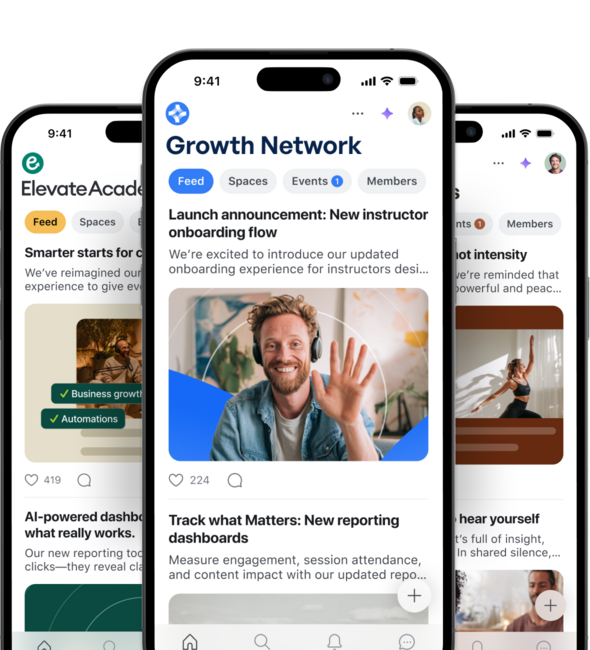
Circle review • 2026 updates • workflows • AI agents • Email Hub • launch plan
Circle.so Review (2026): What’s New? Workflows, AI & Email Hub (Launch Plan)
Curious what Circle looks like in 2026? In this practical review, I walk through the biggest “wins” in real life: workflows, AI, and the Email Hub add-on. You’ll also get a fast launch plan and a break-even calculator so you can sanity-check whether Circle fits your model.
Tip: the progress bar shows reading progress, and the sidebar TOC highlights the current section.
Quick summary
OverviewIf you only have 60 seconds: these are the points that matter most when you actually run a paid community.
Structure beats chat
Spaces, courses, and events help members find value faster than a “scroll forever” chat.
Workflows = scale
Automate onboarding, reminders, tagging and access control as soon as you hit ~100+ members.
Know the cost model
Monthly price is only half: transaction fees + add-ons can change your effective take rate.
Let’s start with what’s actually new/strong in Circle in 2026.
Next: what’s new?What’s new / strong in Circle in 2026?
UpdatesMost community platforms can do “posts & comments”. Where Circle typically stands out is the combination of structure, monetization, and automation.
Workflows & templates
Automations for onboarding, reminders, moderation and bulk actions.
AI workflows / AI inbox
Route questions faster and reduce admin work (plan-dependent).
Email Hub (add-on)
Bring email, segments and newsletters closer to your community (if you need it).
Want copy-paste ideas? Here are 7 workflows that consistently work well.
Next: 7 workflow ideas7 workflow ideas that work in real life
Templates1) Onboarding: tag + “Start here” access
Trigger: new member → assign tag, grant access, send a short welcome message.
2) “Introduce yourself” reminder
If someone hasn’t posted within 48 hours, send a gentle nudge + link to the intro thread.
3) Event reminders (24h + 1h)
Reduce no-shows by sending 2 reminders and a final “Join now” link.
4) Renewal reminders
If a subscription is about to renew/cancel, send a reminder + “what to do next”.
5) VIP routing for paying members
Auto-tag premium members and highlight their posts for faster support.
6) Moderator alerts
If a post gets flagged or contains certain keywords, notify a moderator.
7) “Win of the week” prompt
Weekly recurring prompt that creates consistency and increases retention.
Next: Email Hub—when it’s worth it and when you should skip it.
Next: Email HubEmail Hub: when it makes sense (and when it doesn’t)
Add-on✅ When Email Hub is worth it
- You want segments based on community behavior (tags, spaces, activity).
- You run newsletters and want tighter community ↔ email connection.
- You prefer “one system” instead of a separate ESP for a simple setup.
⚠️ When to skip it
- You already have a mature email stack (advanced automations, deliverability ops).
- You need complex funnels and dozens of email journeys.
- Email is not a meaningful part of your acquisition/retention.
Let’s talk pricing: plans, transaction fees and common add-ons.
Next: pricingPricing (2026): plans, transaction fees & add-ons
CostCircle has multiple plans. The key thing to understand: the monthly plan fee is only one part. Depending on your plan you may also pay transaction fees (a percentage on payments) plus optional add-ons.
Professional
$89/month
Transaction fees: 2%
For creators starting with memberships + courses/events.
Business
$199/month
Transaction fees: 1%
For growth: more workflows, customization, and automation.
Enterprise
$419/month
Transaction fees: 0.5%
For larger teams/communities, higher limits and extra services.
Now the practical part: a launch plan you can follow in ~60–90 minutes.
Next: launch planLaunch plan: set up a clean Circle in 60–90 minutes
ChecklistThis is my “minimum viable community” approach: not perfect, but live quickly with a strong foundation.
1) Structure (20 min)
- Create 3–6 spaces: Start here, Q&A, Wins, Updates, Events.
- Pin one “Start here” post with rules + promise.
2) Onboarding (20 min)
- Write a welcome post + one action (“Introduce yourself”).
- Create a short first-week checklist.
3) Rhythm (20 min)
- Schedule one recurring event (weekly Q&A is enough).
- Write 10 starter questions to spark discussion.
4) Automations (20–30 min)
- Onboarding workflow: tag + access + reminder.
- Event reminder workflow: 24h + 1h before start.
Let’s make the economics concrete: how many members cover Circle?
Next: break-even calculatorBreak-even calculator: how many members cover Circle?
EstimateThis calculator uses: (1) plan fee + (2) transaction fee on your revenue + (3) optional add-ons. Use this as a quick sanity check, not as accounting.
Result
Last step: quick answers to common questions.
Next: FAQFAQ
AnswersDoes Circle have a free trial?
Circle mentions a free trial (often 14 days). Always verify current trial terms on Circle.
Does Circle charge transaction fees?
Yes, depending on your plan (e.g. 2% / 1% / 0.5%). This is on top of payment processor fees.
Do I need workflows?
Under ~100 members you can do a lot manually. After that, workflows can save a lot of time in onboarding and reminders.