

📖 Table of Contents
- 🎯 Introduction: Why a Strong Online Community Platform is Essential in 2025
- 🧠 What is Skool? A Clear Overview
- 🛠️ Key Features of Skool
- 💰 Skool Pricing and Revenue Model
- ⚖️ Skool vs. Competitors
- 🌟 Pros and Cons of Skool
- 🚀 Conclusion: Is Skool Worth the Money?
🎯 Introduction: Why a Strong Online Community Platform is Essential in 2025
In a world where online entrepreneurship is booming and personal branding is becoming increasingly important, the need for strong online communities is growing. Facebook groups are overloaded with spam, Discord feels chaotic, and platforms like Kajabi and Circle often lack the simplicity entrepreneurs seek. This is where Skool comes in.
But is Skool really the platform that will revolutionize the community landscape? And is it worth the monthly investment of $99? In this comprehensive Skool review 2025, I share my insights, experiences, and comparisons with other popular community platforms. Get ready for an in-depth analysis to help you decide if Skool is the right choice for your business.
💡 Try Skool with a free trial here 🌐
🧠 What is Skool? A Clear Overview
Skool is an online community platform founded by Sam Ovens, with the mission: learning should be fun and social. Instead of dry e-learning modules or fragmented Facebook groups, Skool offers an integrated system where community, courses, and interaction come together.
Whether you’re a coach, an online trainer, or want to build a community around a hobby or niche, Skool promises to provide you with all the tools you need to create an active and engaged community easily.
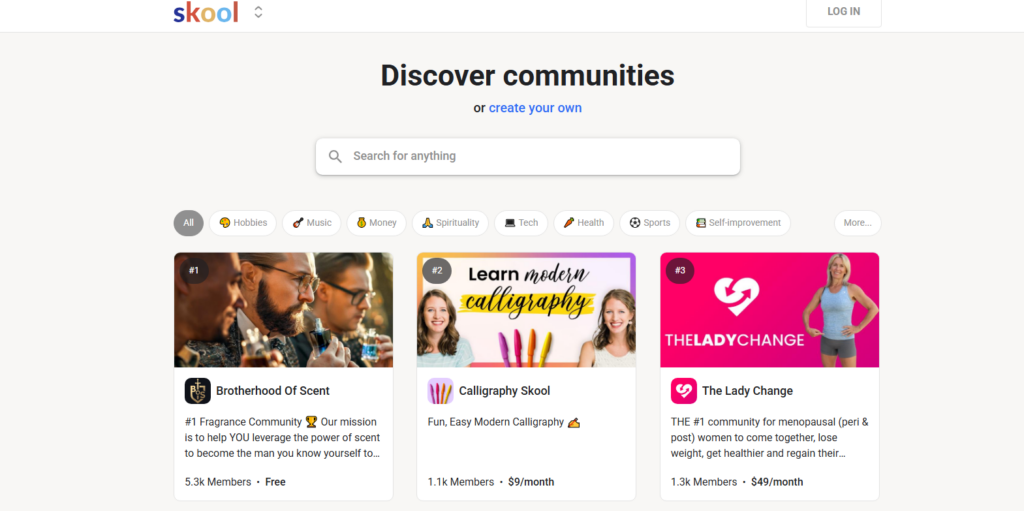
What can you do with Skool?
- Community-driven learning
- Offer online courses and training
- Organize live events and Q&A sessions
- Use gamification elements to increase engagement
- Build a strong community without distractions
With a clean interface and smart gamification tools, Skool clearly stands out from other platforms. But how does it work exactly? Let’s dive deeper into its features.
💡 Start your Skool journey today 🚀
🛠️ Key Features of Skool
Note: Unlike traditional platforms like Facebook Groups, Skool provides a distraction-free environment with a clear focus on community engagement.
1. 📣 Community Tab – The Interactive Feed
When you open Skool, you immediately land in the Community Feed. This is the heart of interaction, similar to a Facebook group but without ads, algorithm changes, or distractions.
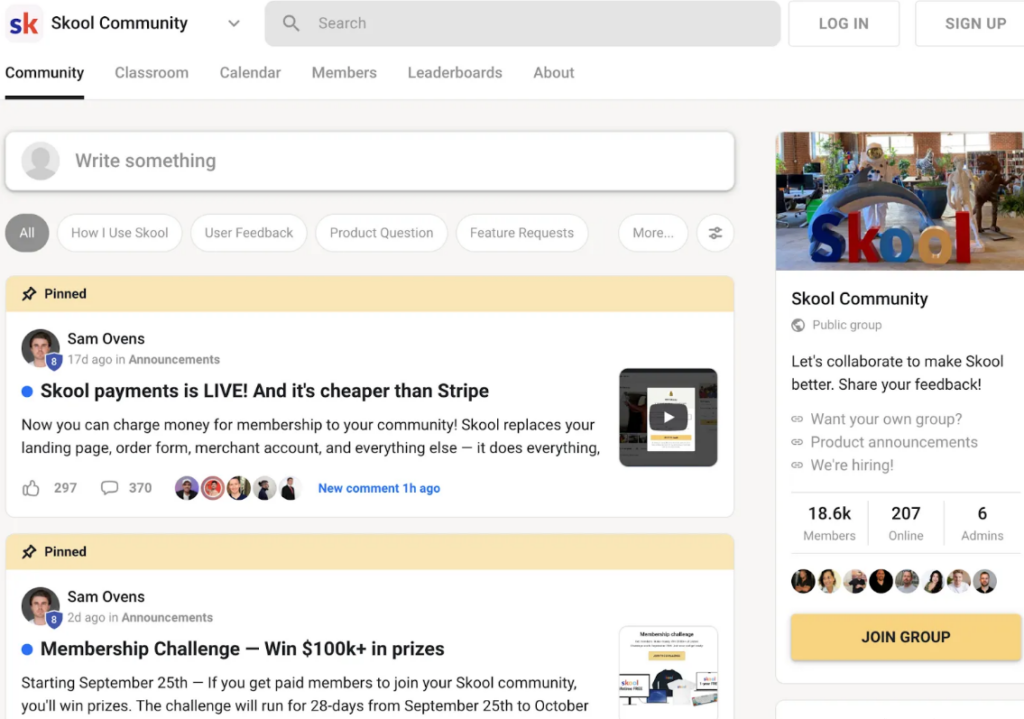
What can you do here?
- Create posts (with images, videos, GIFs, and polls)
- Start discussions or join existing conversations
- Use @mentions to tag specific members
- Categorize threads (e.g., General, Questions, Successes)
My Experience: The feed is clean and organized. You can easily scroll through posts without being overwhelmed by irrelevant updates. The use of categories makes finding specific information much easier than in Facebook groups.
Note: Skool currently does not offer a group chat feature, which may be a limitation if you want to facilitate broader group discussions.
💡 Discover the Skool Community 📲
2. 🏫 Classroom Tab – Simple Course Creation
A unique feature of Skool is the Classroom function, which allows you to create and offer unlimited courses. You host your videos via YouTube, Vimeo, or Loom and embed them into your lessons.
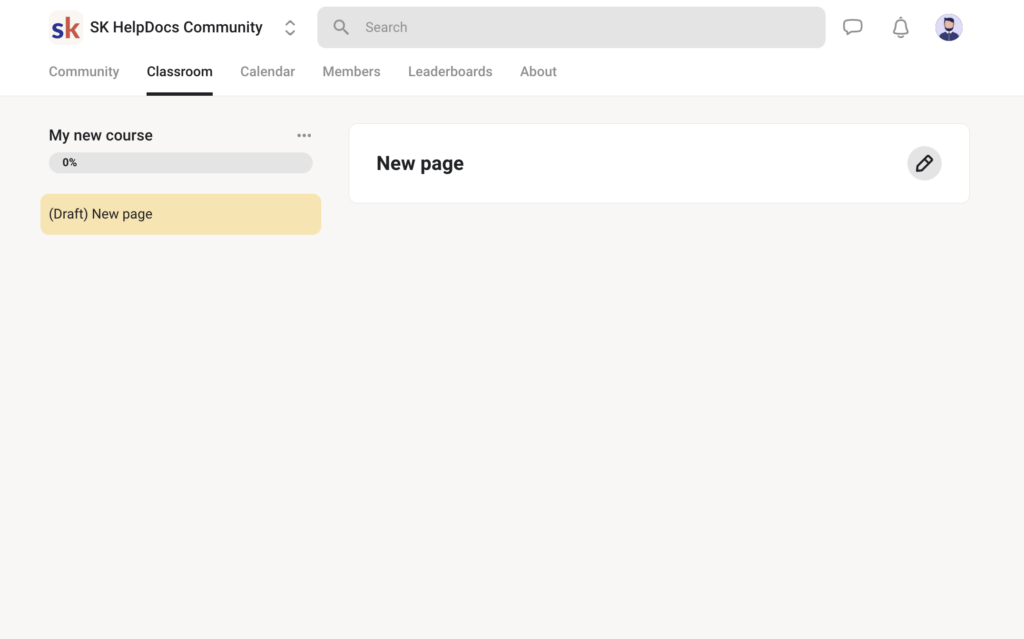
Important: Skool does not offer quiz functionality. If you want to implement tests or knowledge checks, you can use external tools like Typeform or Google Forms.
How does it work?
- Create unlimited modules, lessons, and resources
- Add transcripts and additional downloadable files
- Grant access to specific lessons based on membership level
- Allow interaction through comments per lesson
Practical Tip: Use the gamification feature (see below) to unlock lessons only after a certain level of activity. This stimulates active participation.
💡 Start building your Skool Classroom 🎓
3. 🗓️ Calendar Tab – Plan Events and Live Sessions
In the Calendar tab, you can easily organize live sessions, Q&As, and webinars. You can directly link this with tools like Google Meet or Zoom.
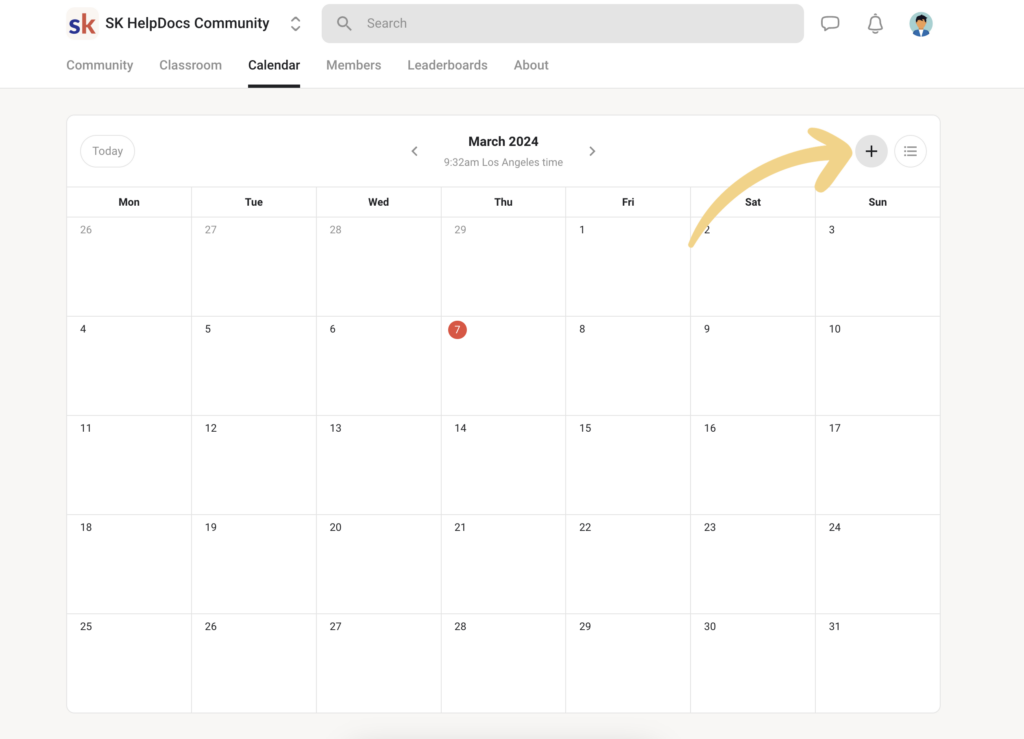
What makes it convenient?
- Automatic time zone adjustment for members worldwide
- Set up recurring events (e.g., weekly coaching calls)
- Automatic email notifications for participants
This feature makes planning and promoting live interactions much easier than on platforms like Circle or Facebook groups.
💡 Plan your events with Skool 📅
4. 🏆 Gamification – More Engagement Through Competition
Compared to traditional platforms like Facebook Groups, Skool’s gamification stands out by offering structured incentives for participation.
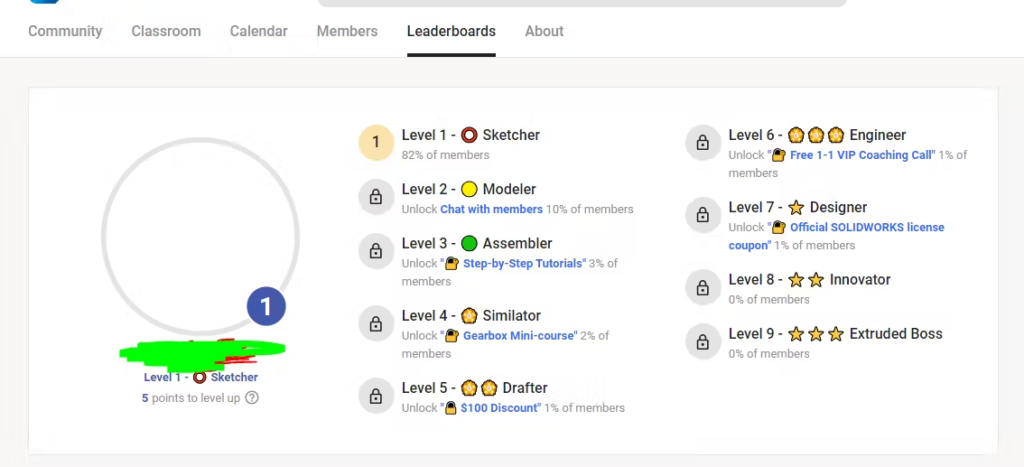
Gamification is one of Skool’s strongest features. By earning points for activity (e.g., creating posts, commenting, and completing lessons), members rise on the Leaderboard.
Why does this work?
- Active members are rewarded with access to exclusive content
- It creates a fun, competitive atmosphere
- It motivates passive participants to become more active
Pro Tip: Offer rewards like an exclusive workshop for members who reach level 5.
💡 Explore Skool’s Gamification Features 🏆
5. 👥 Member Directory – Networking Made Easy
In the Members tab, you get an overview of all members. You can filter by activity, online status, or membership level.
Advantages:
- Direct 1-on-1 chat functionality
- Profiles with bios and links to social channels
- Follow members for easier networking
For entrepreneurs serious about community building, this is a fantastic feature.
💡 Join Skool and build your network 🔗
6. 📈 Dashboard & Analytics – Insights into Growth and Engagement
The dashboard provides insights into:
- Daily and monthly activity
- Growth in member numbers
- Conversion rates for paid groups
Although the analytics aren’t as extensive as those in Kajabi, they’re sufficient to monitor your community’s health.
💡 Track your community growth 📊
💰 Skool Pricing and Revenue Model
Skool follows a simple pricing structure:
- $99 per month per community group
- 2.9% transaction fees on paid memberships

What do you get for this price?
- Unlimited members
- Unlimited courses
- Access to all platform features
Important: You can only create one group per subscription. If you want to manage multiple communities, you’ll need separate subscriptions for each.
💡 Check out Skool pricing here 💳
⚖️ Skool vs. Competitors
| Feature | Skool | Kajabi | Circle |
|---|---|---|---|
| Community focus | ✅ Full | ❌ Limited | ✅ Strong |
| Gamification | ✅ Yes | ❌ No | 🔄 Limited |
| Course integration | ✅ Easy | ✅ Advanced | ❌ Basic |
| Pricing structure | ✅ Flat | ❌ From $149 | ❌ Up to $399 |
| Mobile app | ✅ User-friendly | ✅ Average | ✅ Average |
Summary:
- Skool excels in simplicity and community-building.
- Kajabi is more powerful for marketing funnels.
- Circle offers more customization options.
🌟 Pros and Cons of Skool
✅ Pros:
- Simple and intuitive: No technical knowledge required.
- Active community engagement: Thanks to clever gamification.
- All-in-one platform: No need for external tools.
- Fair pricing structure: One fixed amount without hidden costs.
- Mobile-friendly: Strong mobile app for on-the-go use.
❌ Cons:
- Only one group per subscription: Additional communities require extra subscriptions.
- No group chat feature: This might limit broader discussions.
- No native video hosting: Requires external platforms.
- Basic analytics: Advanced insights need external tools.
- Limited branding options: Skool branding remains visible.
🚀 Conclusion: Is Skool Worth the Money?
If you want to build a community that not only grows in numbers but also in engagement, Skool is an excellent choice. The combination of simplicity, interaction, and gamification makes the platform unique.
Who is Skool perfect for?
- Coaches and trainers looking to build a community around their expertise.
- Online entrepreneurs seeking an intuitive platform.
- Educational institutions aiming to make learning more interactive.
Not suitable for:
- Businesses needing advanced marketing funnels (opt for Kajabi).
- Communities requiring full customization of branding.